absher
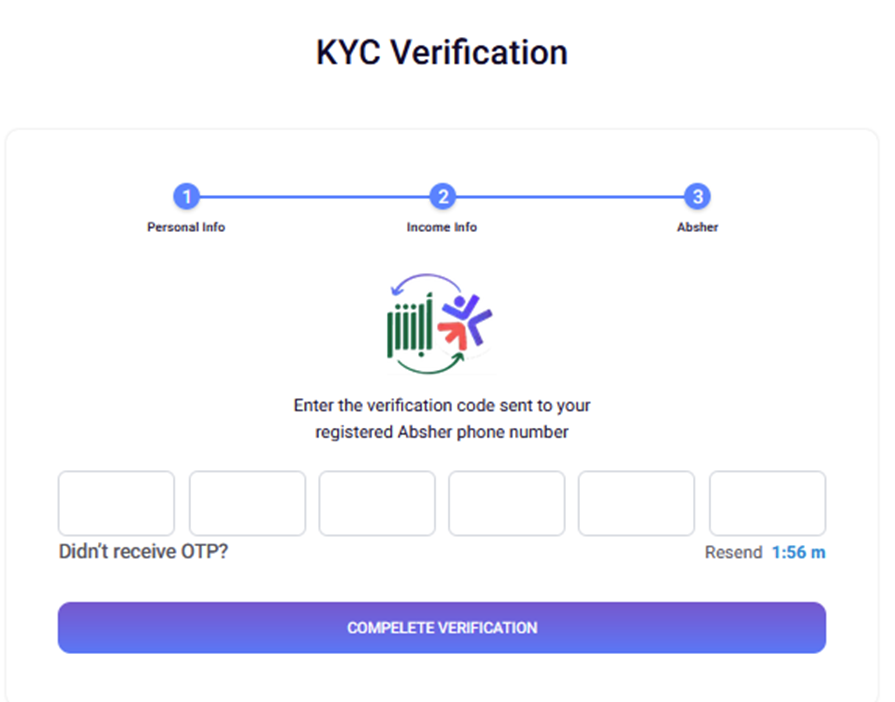
Step 3: Absher Verification
When This Step Appears
- Appears when it's not Absher Verified yet.
- Can appear after Personal Info (if KYC is complete) or after Income Info
- Required for completing the verification process
What is Absher?
Absher is Saudi Arabia's national digital identity platform. This step verifies your identity using the phone number registered with your Absher account.
Process Overview
- Automatic OTP Send: When you reach this step, an OTP is automatically sent to your registered Absher phone number
- Enter OTP: You receive a 6-digit code via SMS
- Verify: Enter the code to complete verification
Resend OTP Section
Timer:
- After requesting OTP, a 2-minute countdown timer appears
- Format: "2:00 minute" / "2:00 دقيقة" or "30 second" / "30 ثانية"
- Resend button is disabled during countdown
- After timer expires, you can click "Resend"
How to Resend:
- Wait for the timer to reach 0:00
- Click the "Resend" button
- A new OTP will be sent to your Absher-registered phone number
Validation
- Required: All 6 digits must be entered
- Format: Only numeric digits (0-9) are accepted
- Error: If verification fails, an error message will appear
After Verification
- Success: Redirects to Payment Summary screen
- Failure: Error message displayed, you can try again or resend OTP